
As a sole proprietor, you have access to a receipt scanner that makes it quick and easy to document your business expenses. You can upload electronic receipts via the scanner or take a photo of a physical paper receipt. Always add only one receipt at a time—a single photo cannot contain multiple receipts.
How our receipt scanner works
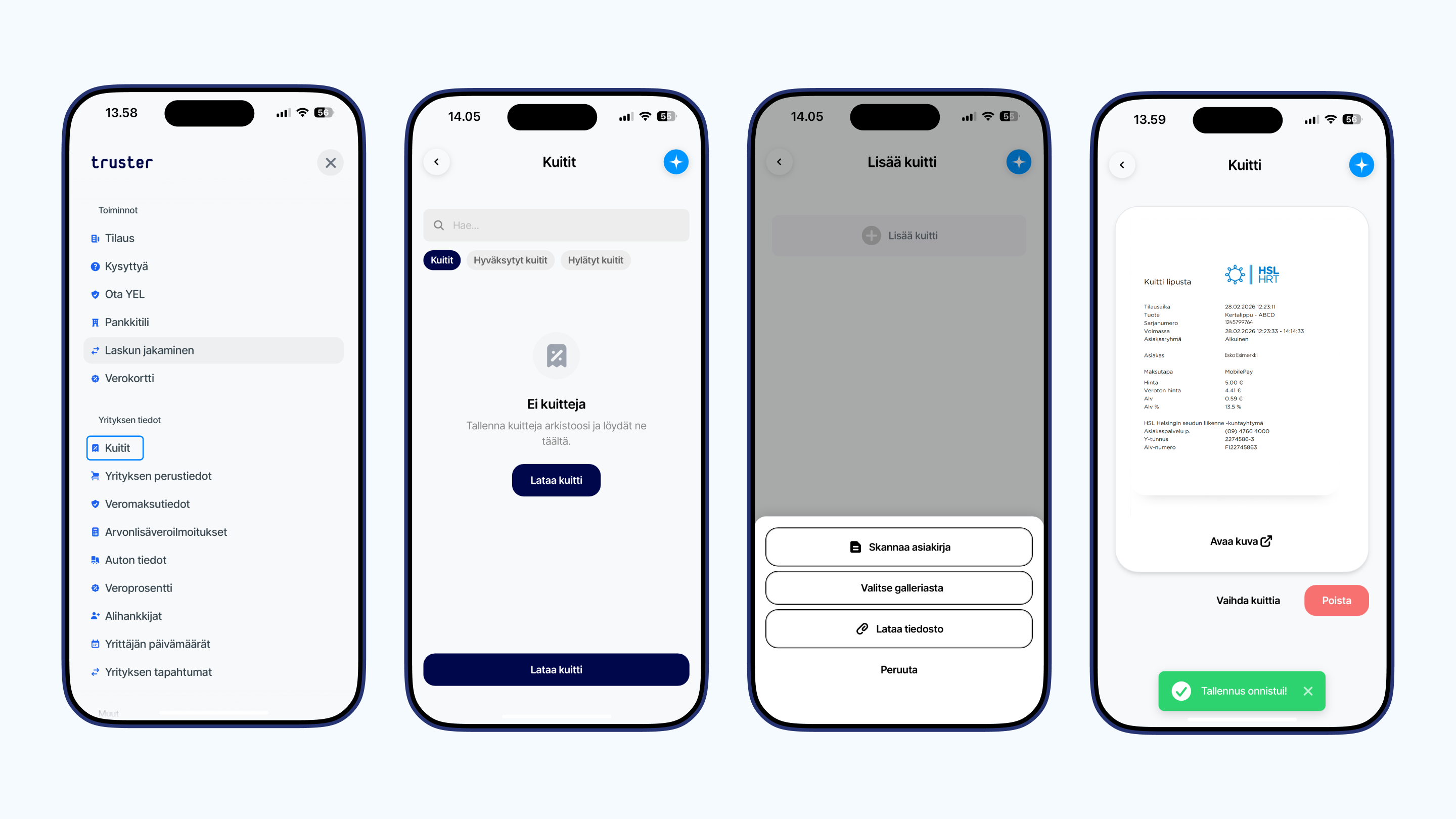
- Open the Menu in the app and select Receipts.
- Click the + button in the lower right corner.
- Choose whether you want to scan the receipt or take a photo
- Upload a file from your device or take a photo, save
- If the receipt does not indicate how it relates to your business, please provide more details
- Save
Once saved, the receipt is sent to us for internal review. All receipts are always reviewed to ensure that the appropriate ones are approved before the VAT and tax returns are filed. Therefore, you don’t need to keep an eye on receipts awaiting review.
What kind of receipt is acceptable for accounting purposes?
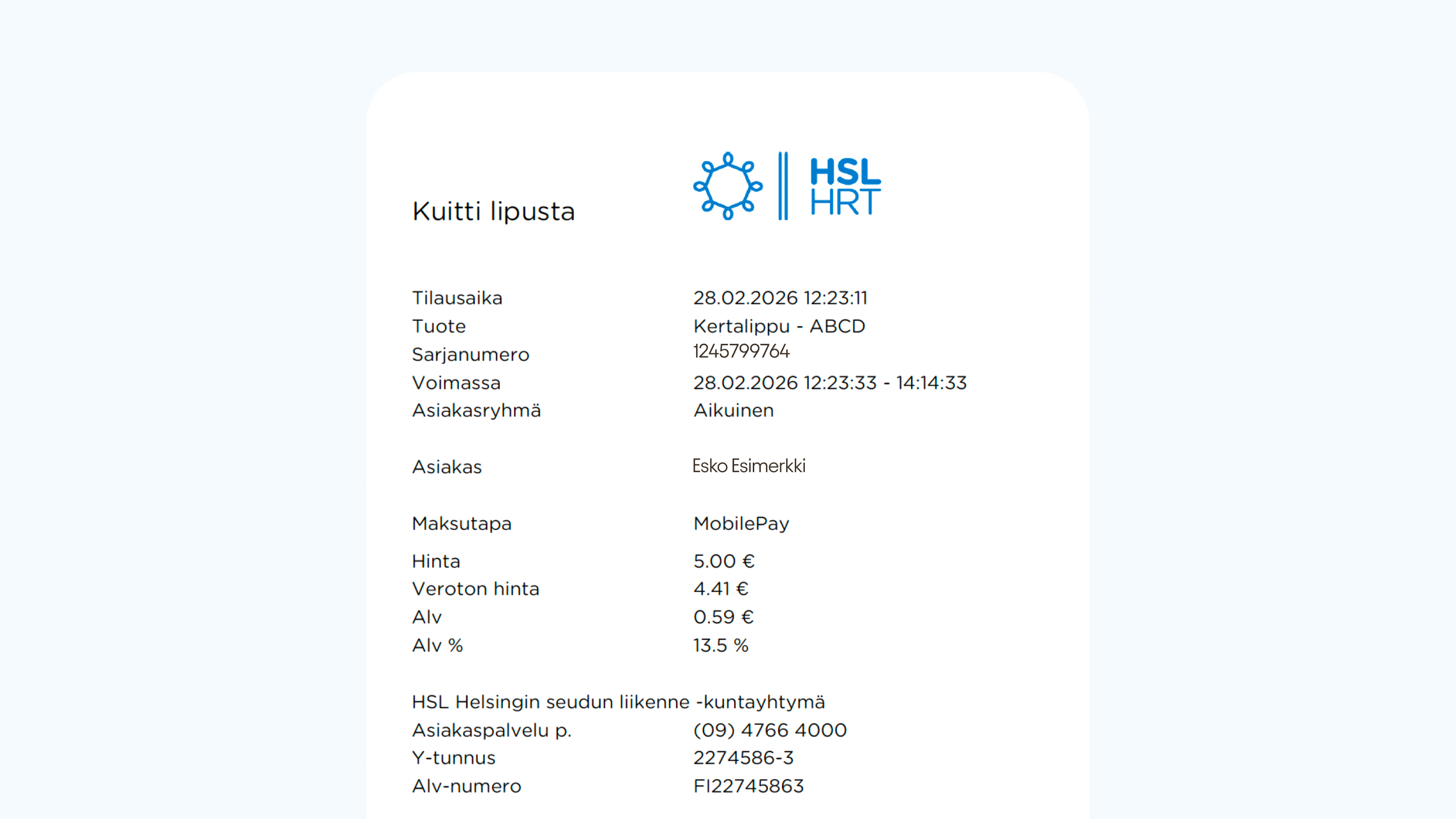
In order for a receipt to be accepted for accounting purposes, it must contain the following information
- Seller's name, address, and business ID
- Date of purchase
- What has been purchased
- Purchase price (taxable and tax-free amount)
- VAT base
Why was my receipt rejected?
Screenshot from online banking
If you have uploaded a screenshot of your online banking statement via the receipt scanner, the receipt will be automatically rejected. Online banking payment details do not include all of the information listed above. The image does not show all of the seller’s details, the product, or the VAT rate. Always upload the original receipt or invoice.
Incomplete information
If the receipt is missing any of the information listed above, it cannot be accepted for accounting purposes. The most common reason is that the product or service is not specified. The receipt may show the seller’s information, the purchase date, and the amount, but if the receipt does not specify which service or product was purchased, it cannot be reasonably added as an expense for your business. Such receipts usually come from a point-of-sale terminal. Always download the receipt that includes all the information listed above.
Duplicate receipt
A common reason for rejection is a duplicate. The same receipt has already been accepted into your accounting system. Duplicates are automatically rejected. It is therefore important that you upload receipts as soon as possible after the purchase, or at regular intervals, so you don’t create unnecessary work for yourself by scanning the same receipts multiple times.